Frequently asked questions
Content
How do i get the latest patch for Nintendo Switch (physical version)?
Make sure your Nintendo Switch is connected to the Internet, then the latest HORSE CLUB Ride West patch will be downloaded automatically.
If this is not the case you may have deactivated automatic updates on your Nintendo Switch.
In this case you can use the following instruction:
https://en-americas-support.nintendo.com/app/answers/detail/a_id/22767/~/how-to-update-software
The latest patch version number is 1.0.1
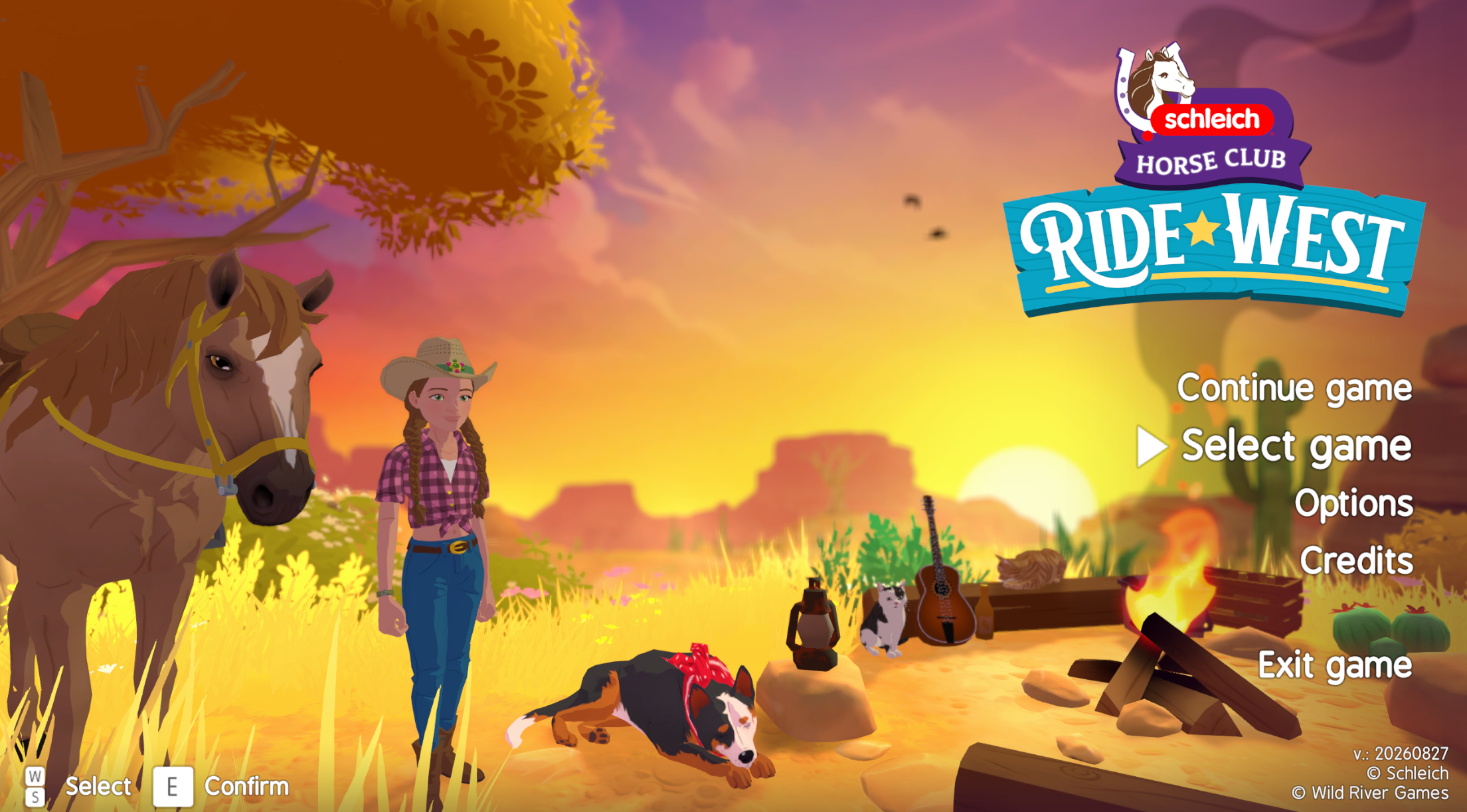
(You can also check that you have the latest patch in game on the start screen. There is a date in the lower right corner which must be 20260827)
How do I load a backup save game?
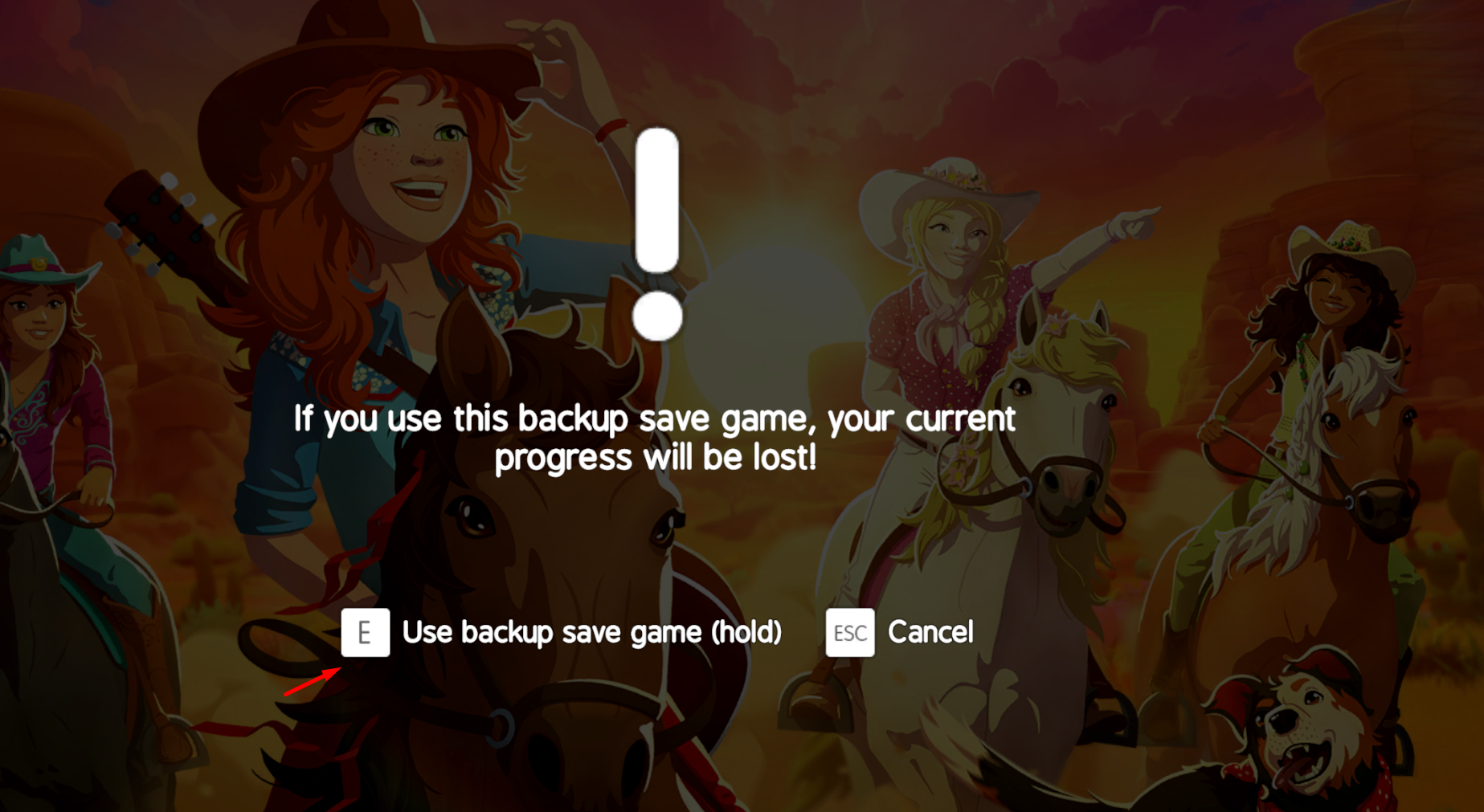
HORSE CLUB Ride West automatically saves up to two backup saves about every 15 minutes.
This allows you to go back to an earlier save state if a problem occurs.
To load a backup save you have to do the following:
- Select the menu item “Select game”
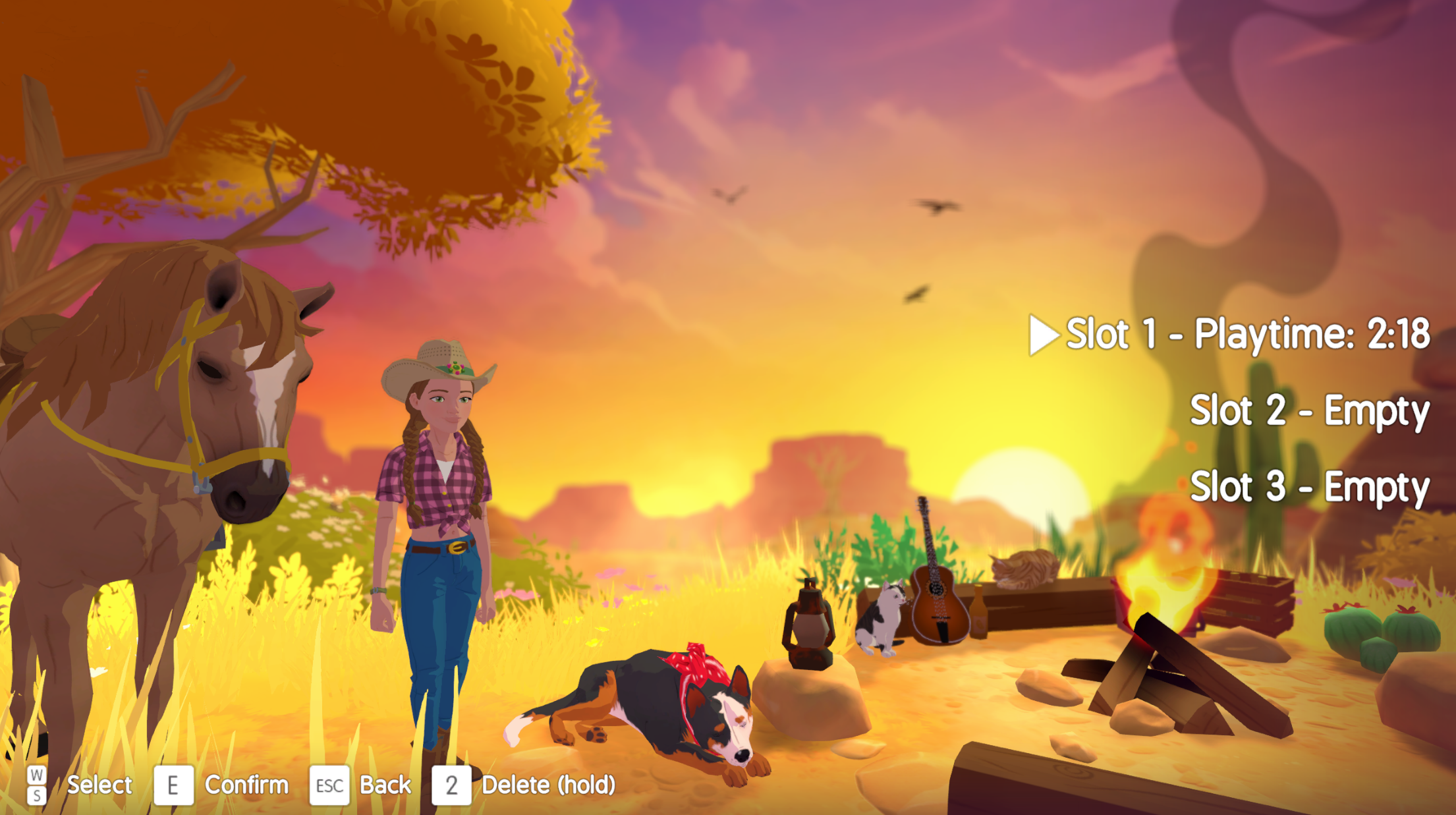
- Select the slot you want to load a backup from
- Select the desired backup save
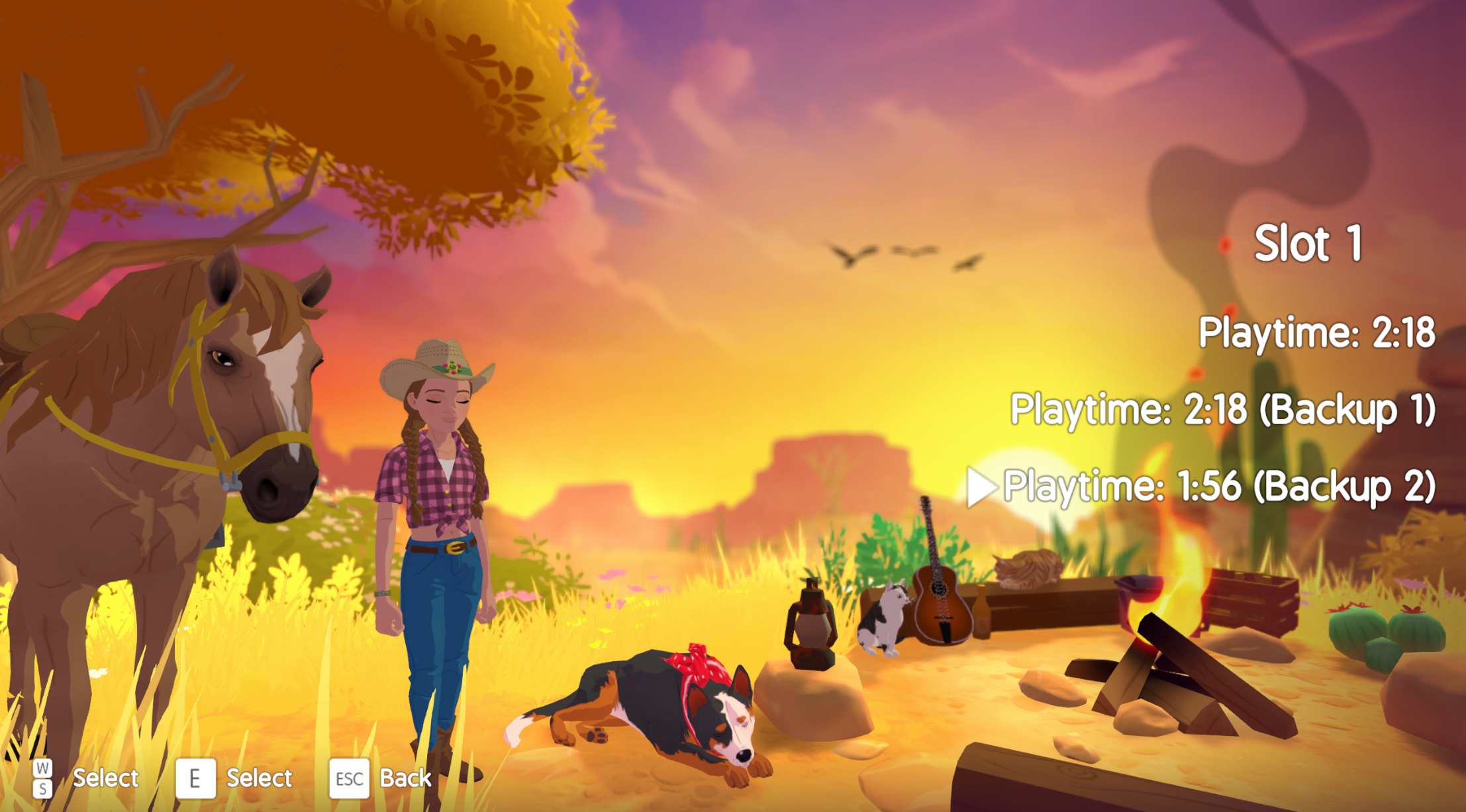
- Select “Use backup savegame” by holding the button for some time
How do I reset my position when I am stuck?
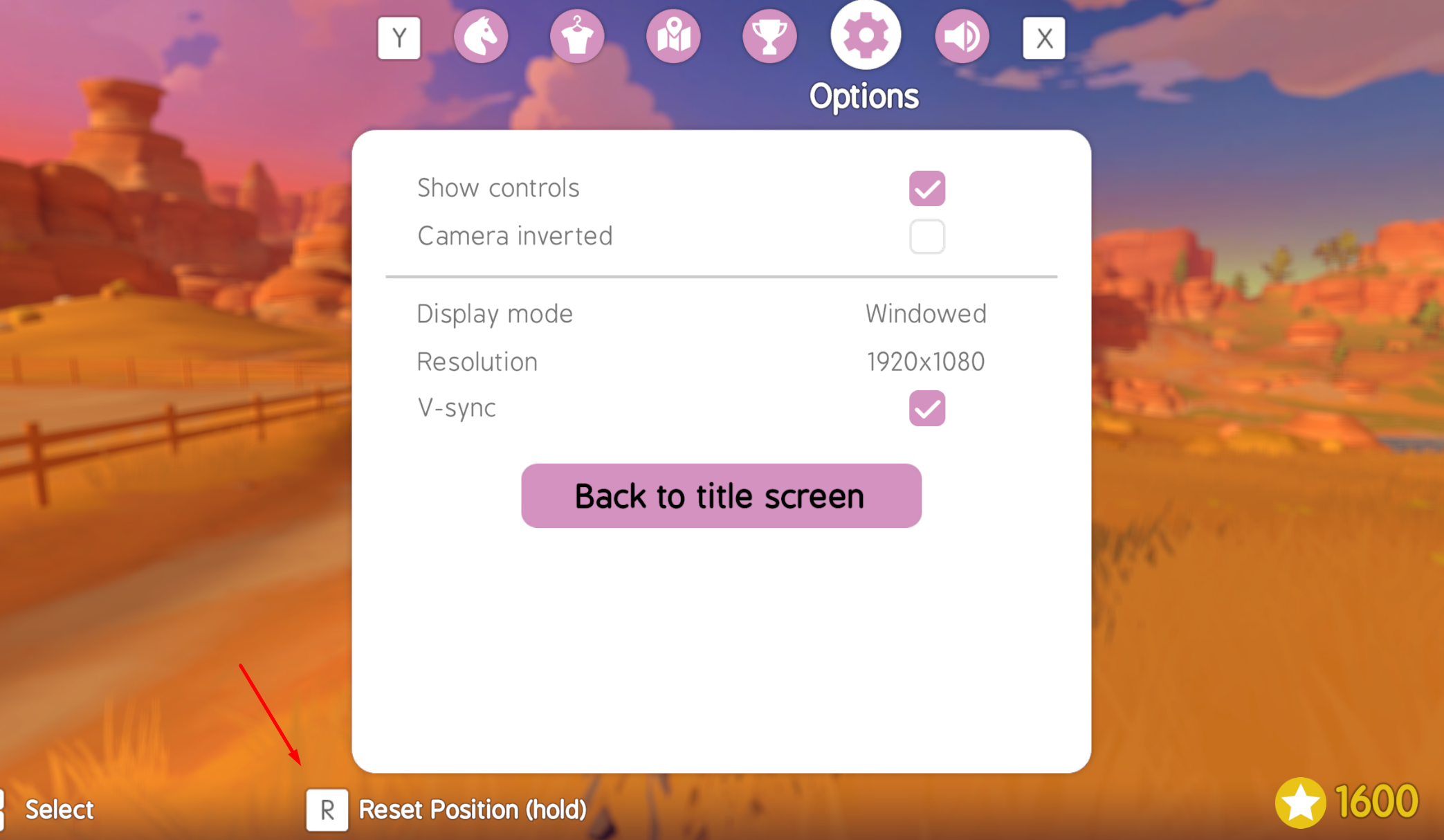
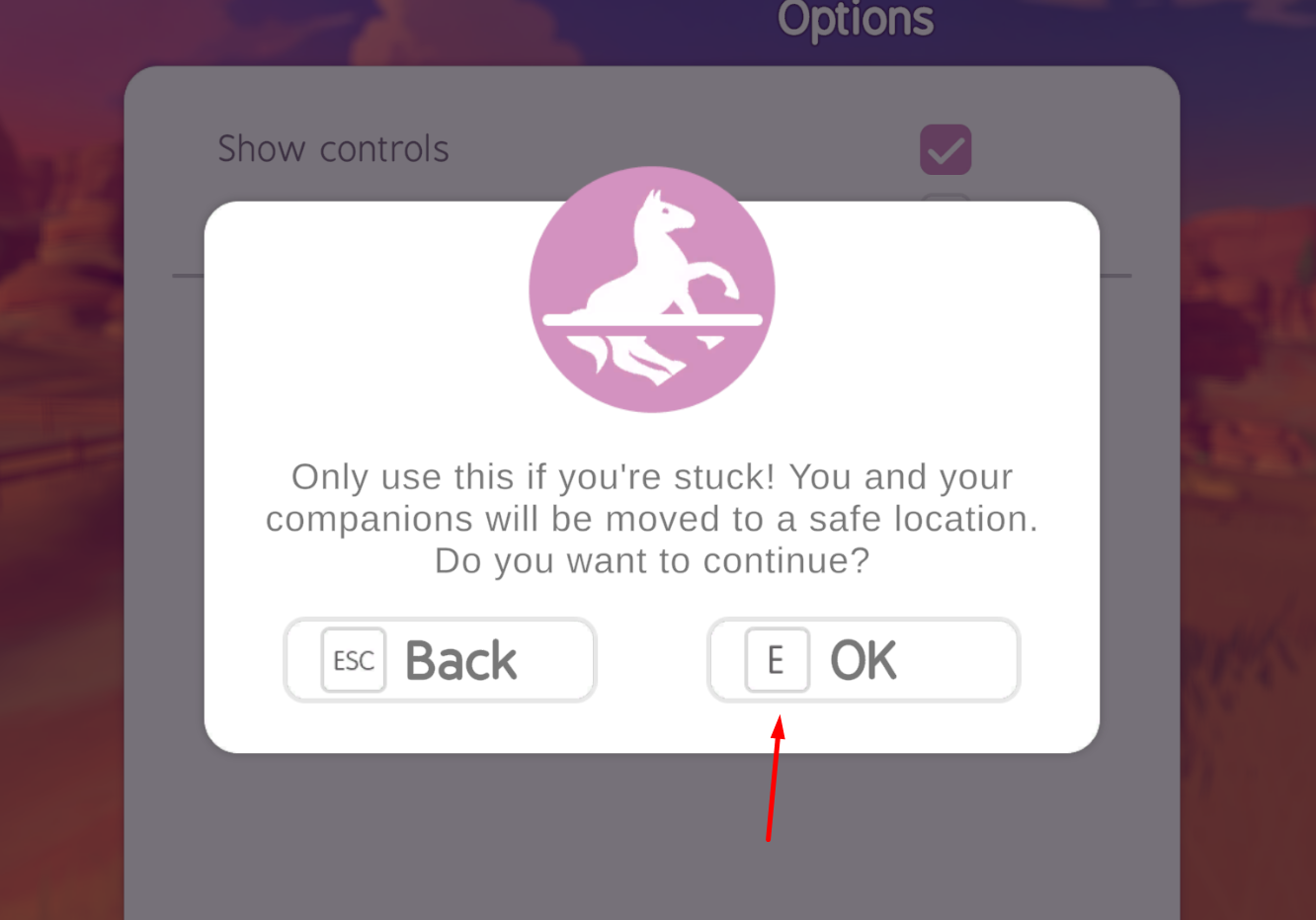
- If you ever get stuck somewhere while on foot or mounted, you can go to the menu and switch to options. Hold the Reset Position button there and you will be teleported to a safe spot nearby.
- Confirm in the popup
How do I turn off the Windows notifications when I press the Alt (Drift) or Shift (Sprint) key frequently?
1. Open Settings (keyboard shortcut: Windows key + I).
2. In the left-hand navigation pane, click Accessibility (or Assistive Technology).
3. Scroll down in the right-hand pane and select “Keyboard” under the “Interaction” category.
4. Click directly on the word “Stick to Keys” (not just the On/Off toggle next to it) to open the advanced options.
5. Turn off the toggle next to “Lock key combinations when pressed twice in a row” (this disables the notification triggered by repeatedly pressing the Shift key).
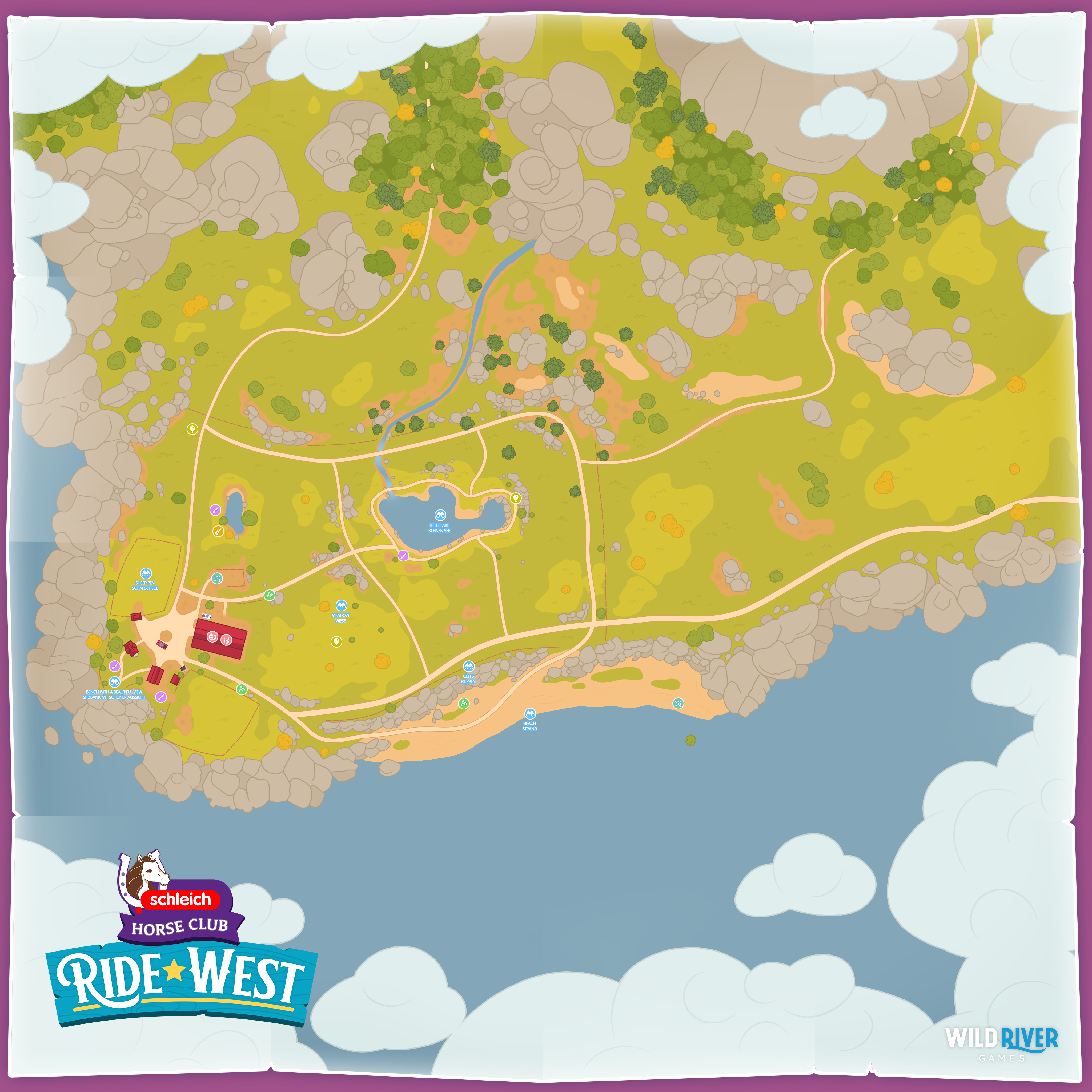
Where can I find all the mini-games and locations on the map?
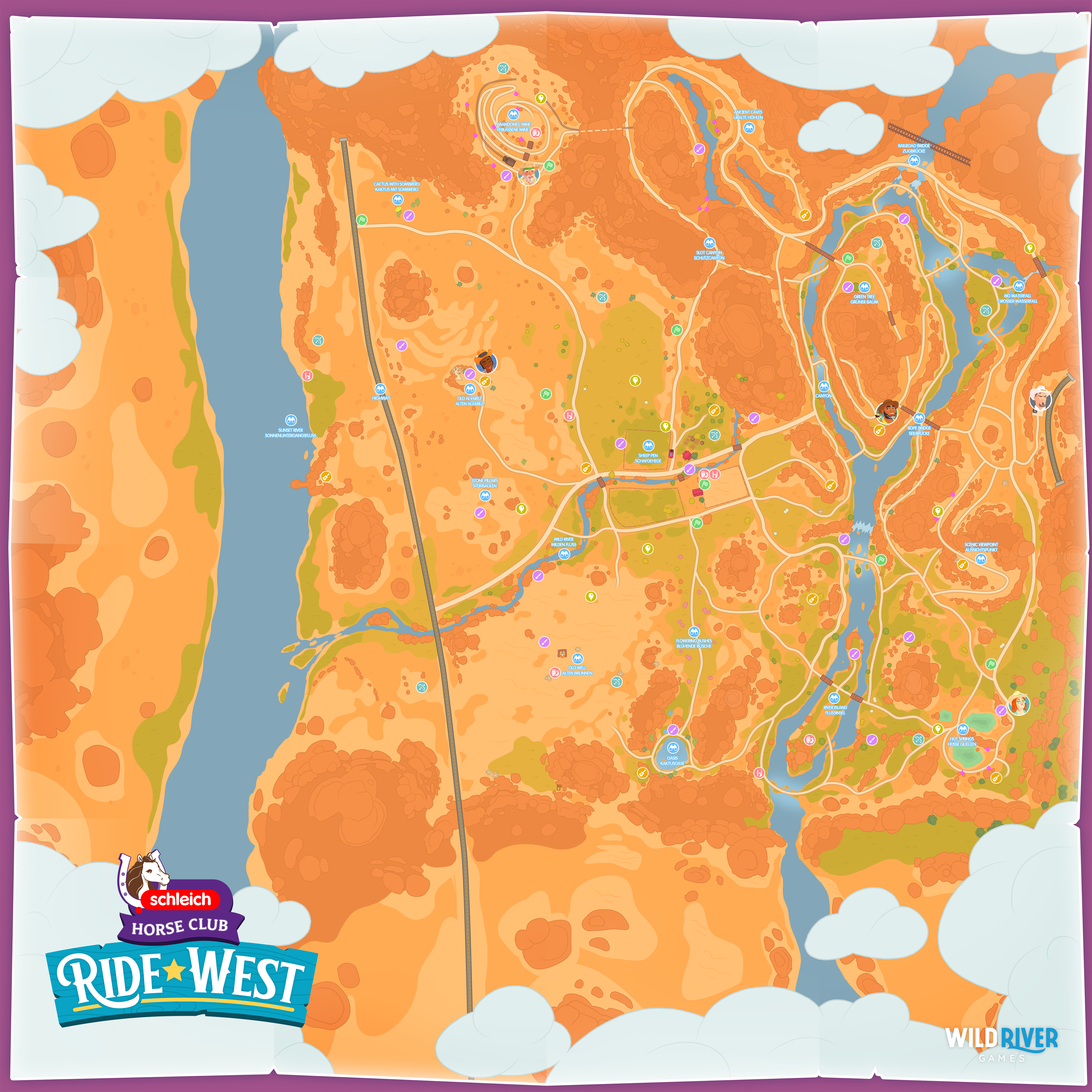
Can I travel back and forth between Lakeside and the desert later in the game?
Yes, if you travel to Lakeside at the end of Day 9, you can then travel back and forth between the two
locations at any time and play any remaining mini-games. To do this, you have to go to the pickup truck and start the trip from there.
Note: At the end of Day 9, the mini-games are locked due to the story and won’t be playable again until you’ve traveled back and forth.
How do I play the guitar improvisation game?
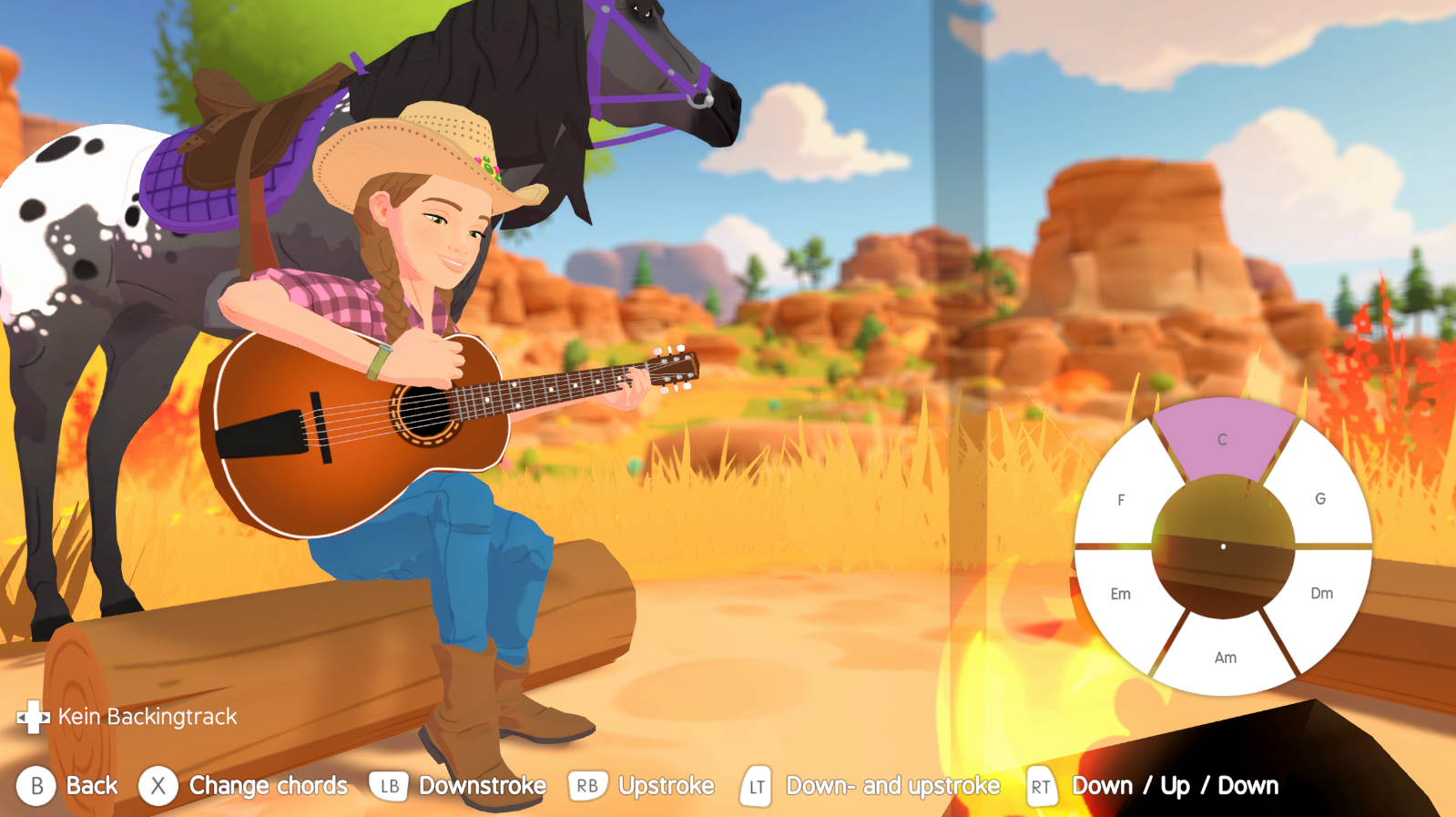
After you have played your first guitar song at a camp fire, you can select Improvisation at camp fires where you have already completed the song of this place.
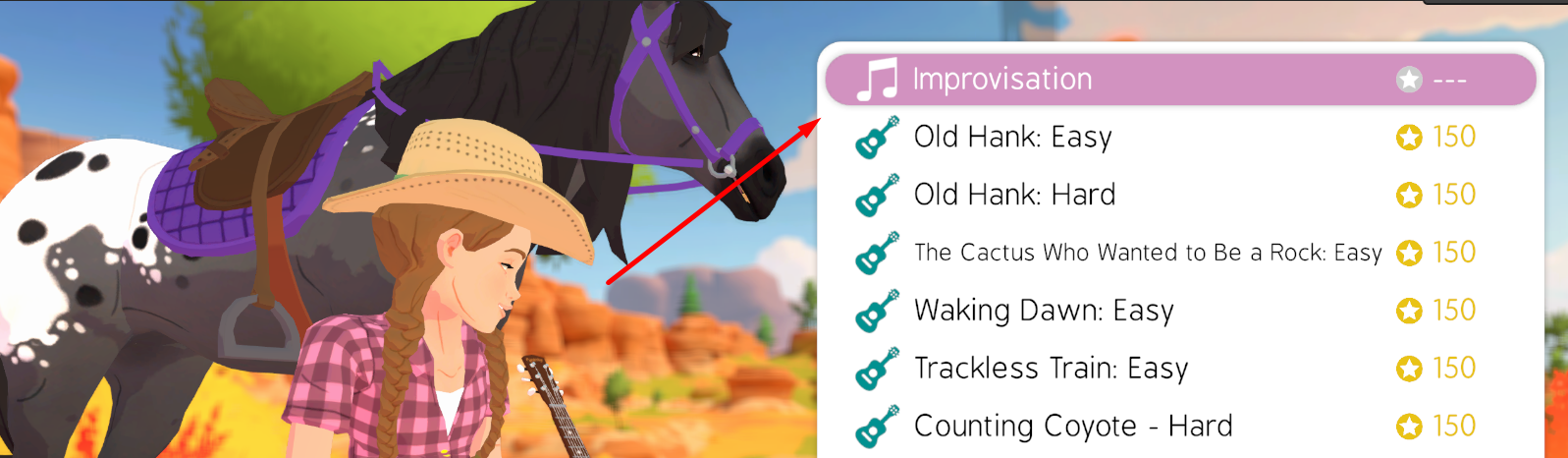
Instructions
- Choose a chord from the chord set. (You can change the chord set with the press of a button.)
- Play the guitar freely or jam along to one of nine backing tracks.
- Play manual downstrokes or upstrokes using the corresponding buttons.
- Turn Autoplay mode (slow or fast) on or off using the corresponding buttons.
You can also combine the different playing styles:
- Play upstrokes and downstrokes whenever and however you want.
- When you activate an Autoplay mode, it adapts to the tempo of the selected backing track.
- When an Autoplay mode is active, you can quickly switch to the other Autoplay mode by pressing the button for the other mode.
- Autoplay mode is automatically deactivated when you play a downstroke or upstroke, or when you change the backing track.
- To deactivate the currently active Autoplay mode, simply press the corresponding button a second time.